![Untitled design (55).png]](https://help.yourhere.ca/hs-fs/hubfs/Untitled%20design%20(55).png?width=125&height=50&name=Untitled%20design%20(55).png)
If you have access to a building on the CMS, you can manage who else has access to that building's
account.
I want to...
Viewing who has access:
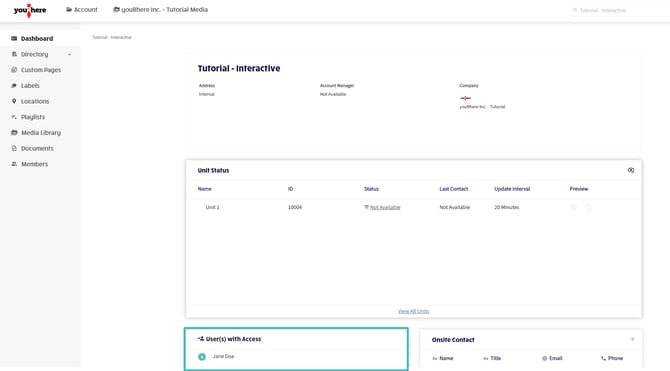
On the side navigation bar, click Dashboard.
The User(s) with Access panel on the Account Dashboard lists everyone who currently has access to the building's account.
Managing members:
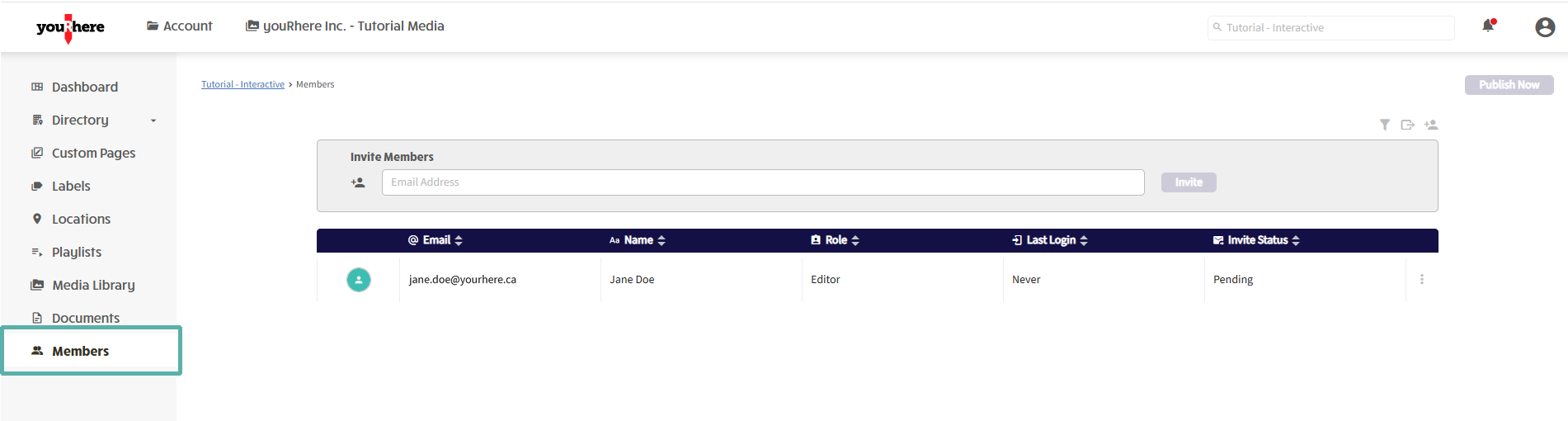
In the side navigation bar, click Members.
The Members page lists each member's Email, Name, Role, Last Login, and Invite Status. This is where you can add, edit, or remove members.
Adding a new Member:
In the Invite Members field, enter the new member's email address, then click Invite.

The new member will receive an email with instructions to set up their account. Their Invite Status will show as Pending until they complete their account setup.
Back to topEditing or Removing a Member:
Hover over the kebab in line with the member you want to change.
